How to Upgrade to a Paid Plan on the Musaffa App
Last updated Over 1 year ago
Upgrading your Musaffa subscription through the mobile app is a straightforward process handled directly by your phone's app store, providing a secure and convenient way to unlock premium features.
Here is a detailed, step-by-step guide on how to upgrade to a paid plan using the Musaffa app on both iOS and Android.
Step 1: Open the App and Locate the Upgrade Section
First, you need to find the subscription or pricing page within the Musaffa app.
Open the Musaffa App: Launch the app on your smartphone.
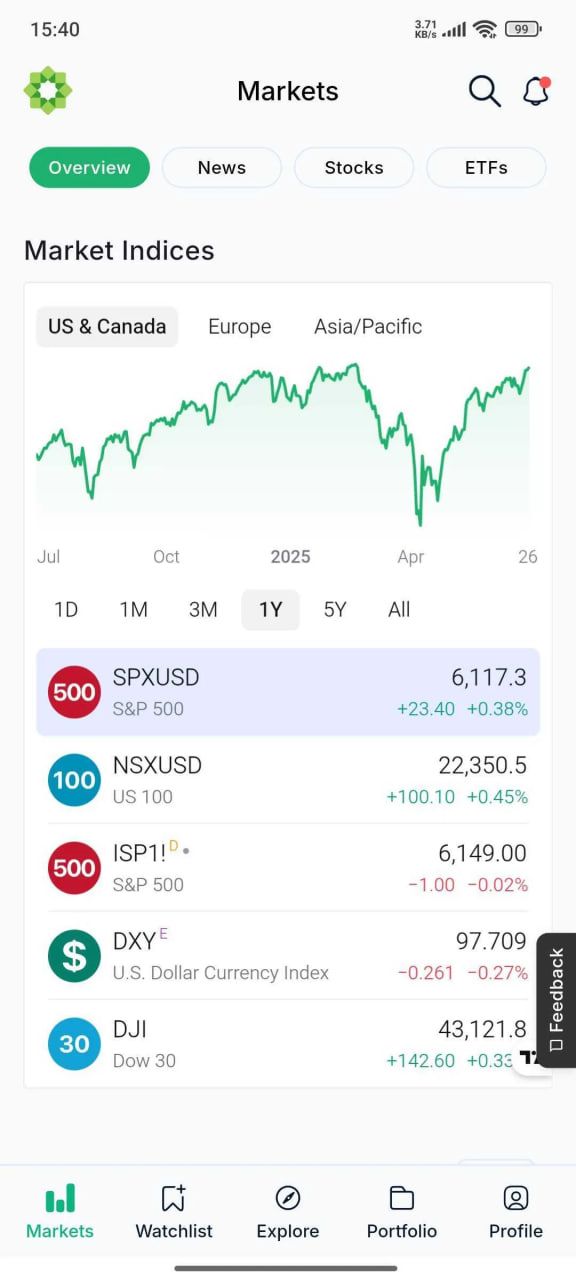
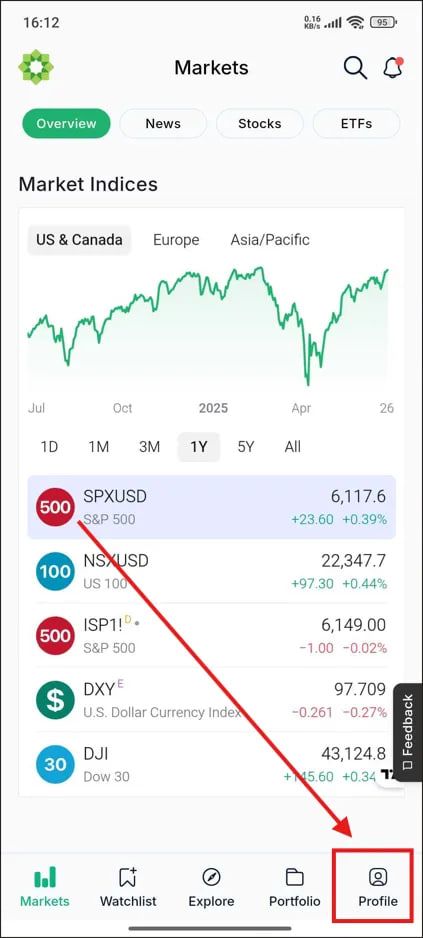
Navigate to Profile: Tap on the "Profile" tab. This is located in the bottom right corner of the screen.
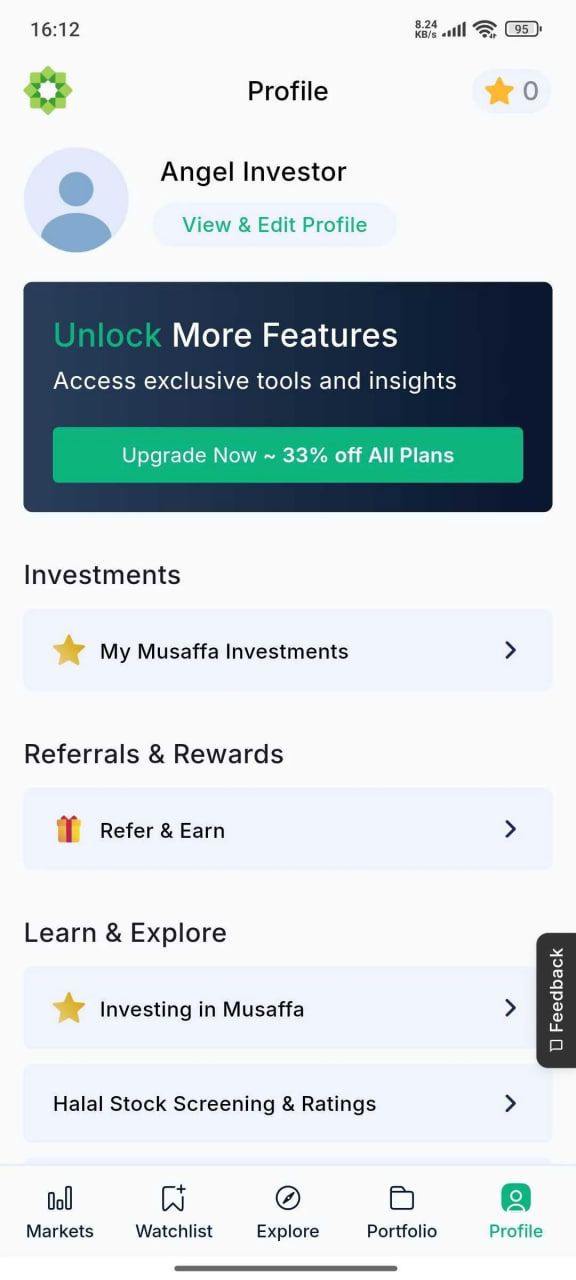
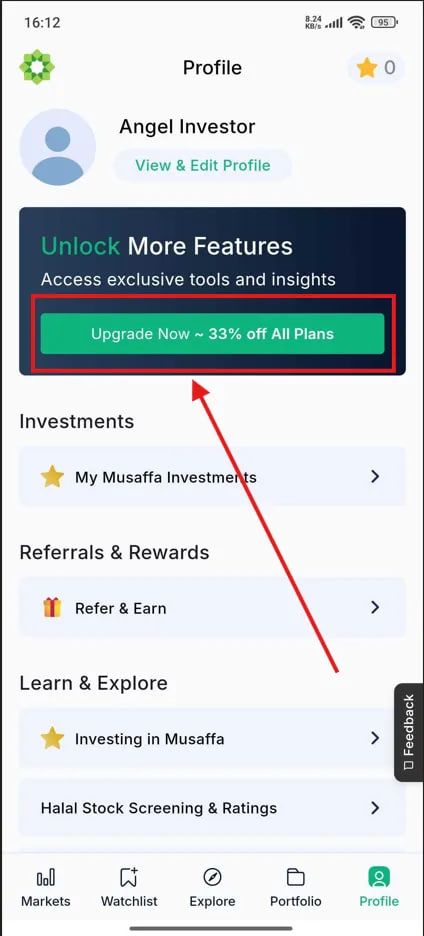
Click the "Upgrade Now" Button: Look for a button labeled "Upgrade Now". This will take you to the plan selection screen.
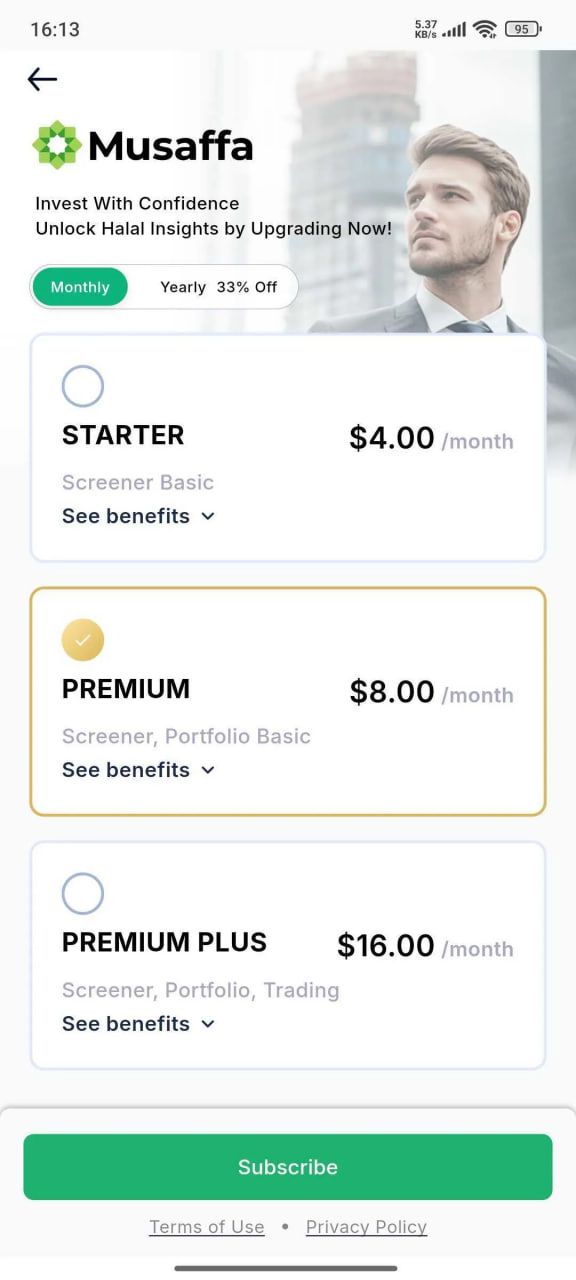
Step 2: Compare Plans and Choose Your Subscription
You will see the different subscription tiers that Musaffa offers. The app will clearly lay out the features you get with each plan.
Review the Plans: Swipe to see the benefits of the available plans (e.g., Starter, Premium, Premium Plus). The app will highlight key features like unlimited detailed reports, additional watchlists, and brokerage portfolio syncing.
Select a Billing Cycle: Choose between a monthly or annually billed subscription. The annual option is presented with a 33% discount, offering better value for long-term users.
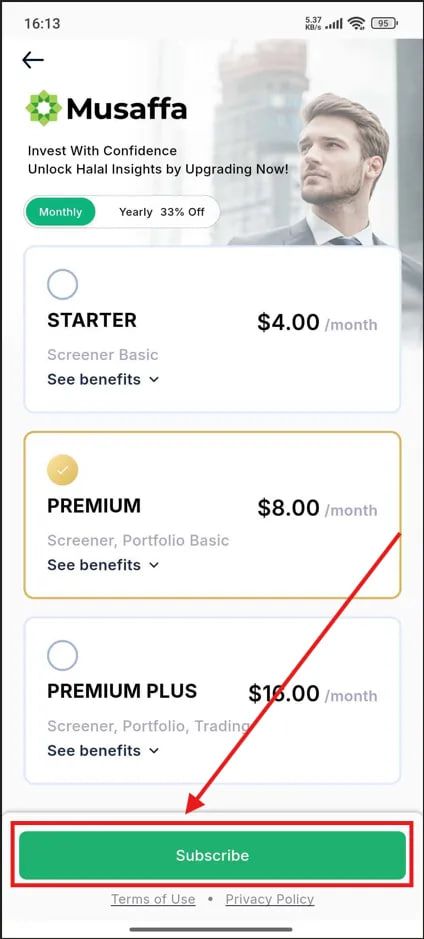
Tap "Upgrade" or "Select Plan": Once you have decided which plan best suits your investment needs, tap the button associated with that choice to proceed.
Step 3: Authenticate and Confirm Your Purchase
This is the final and most important step, where the purchase is handled by your device's native app store.
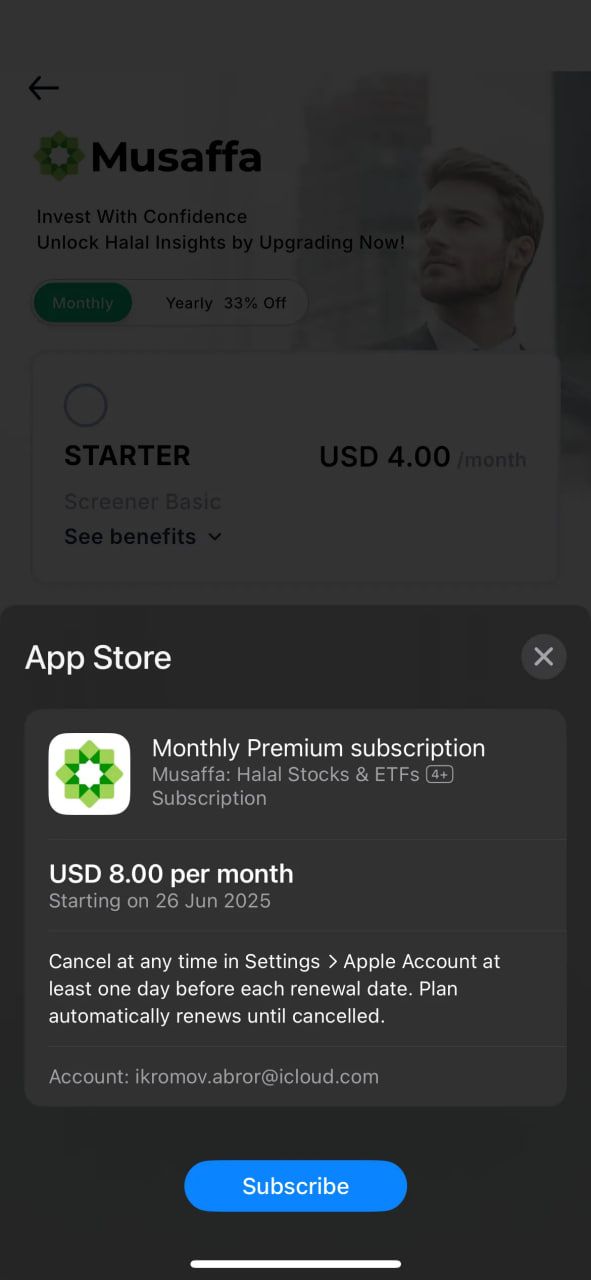
On an iPhone (using the App Store):
A pop-up from the App Store will appear, showing the plan you selected, the price, and the subscription terms.
On an Android Phone (using the Google Play Store):
A Google Play purchase screen will pop up from the bottom of the screen. It will display the selected Musaffa plan, the price, and your default Google Play payment method.
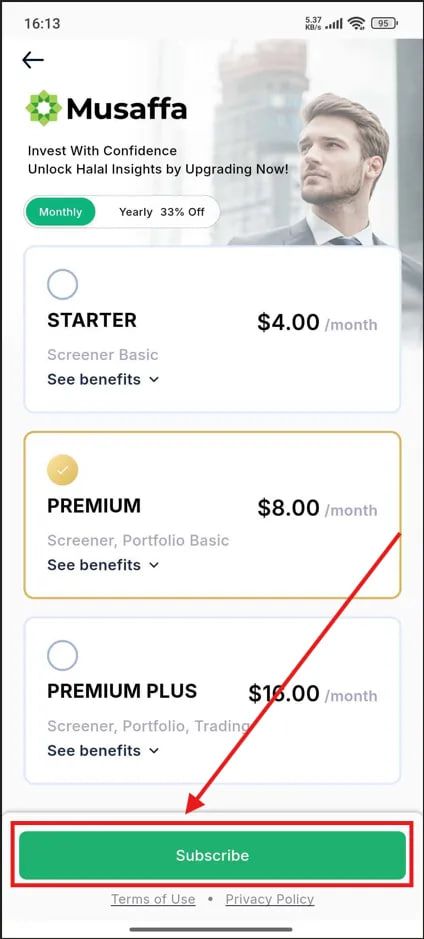
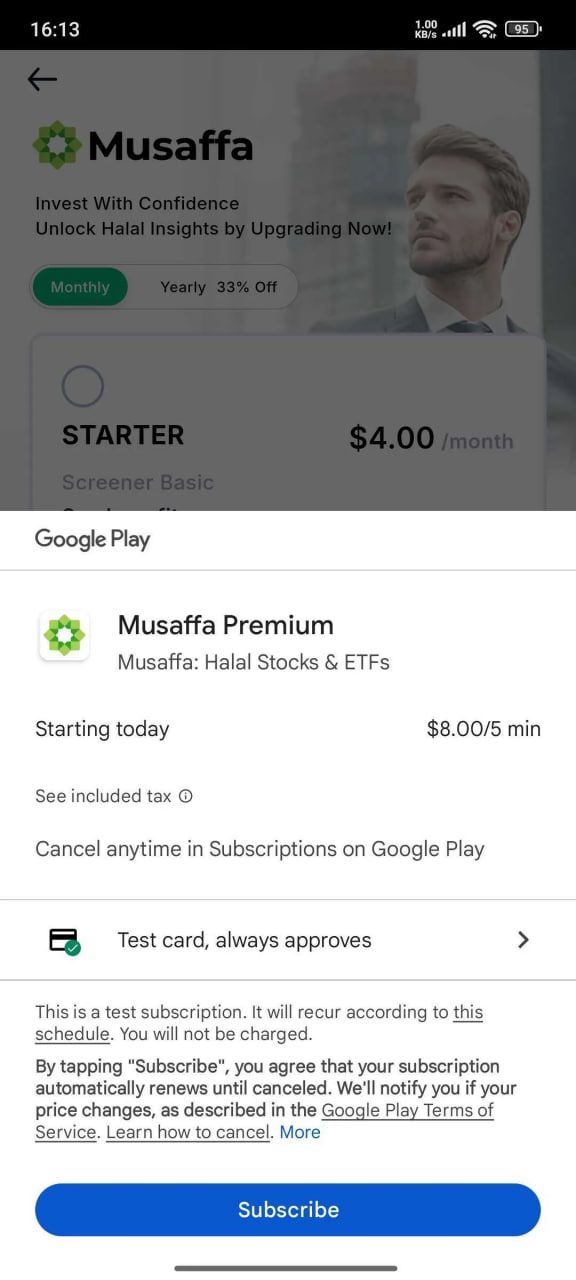
Tap "Subscribe" to finalize the transaction.
Step 4: Confirmation and Access
Once the payment is confirmed by Apple or Google, your Musaffa account will be upgraded instantly.
You will receive a purchase confirmation email from the App Store or Google Play.
The Musaffa app will unlock all the premium features of your chosen plan immediately.
You can now go back to the dashboard and begin using the advanced tools, such as unlimited detailed compliance reports and additional portfolio tracking slots.
Was this helpful?
Still need help? Ask the team