How to use the Manual Portfolio Adder feature
Last updated Over 1 year ago
Step 1: Access the Manual Portfolio Adder
Open the “Portfolio or Sample Portfolio” tab on the web app or mobile app.
At the top of the page you will see “Add Portfolio”, next to sample portfolio, click on “Add Portfolio”. A pop-up will appear, scroll down and click on “Add Your Portfolio Manually”.
Step 2: Create a Portfolio
A pop-up will appear.
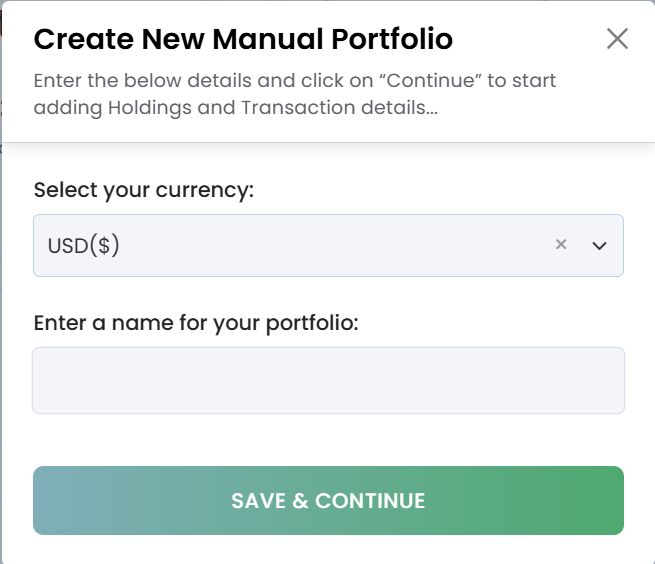
Select the currency for your portfolio and give it a name.
Click Next to proceed.
Step 3: Add Holdings
On the next page, click the ‘Import’ button to import the holdings and transactions data using the CSV file upload.
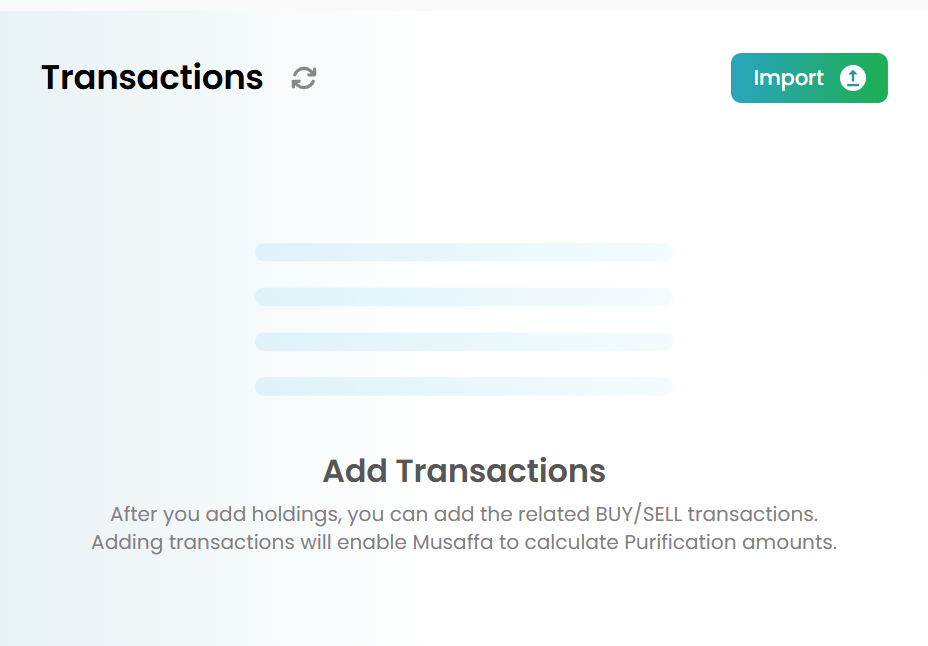
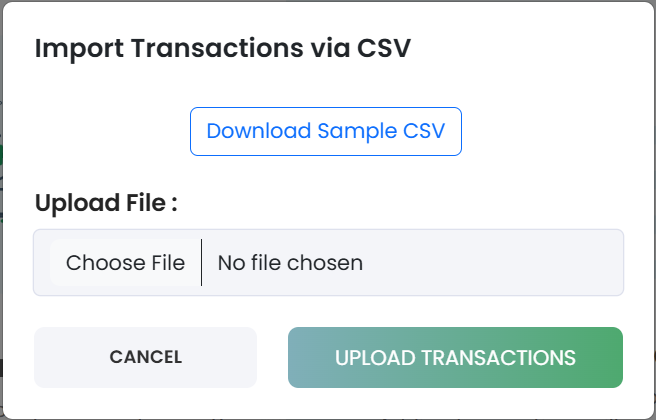
When you click on ‘Import’, a pop up will open. Download the Sample CSV file and replace the data with your holdings and transactions data, and upload the file once done.
To add holdings and one by one, click on ‘Add Holdings’.

A pop-up will appear where you need to enter the following details:
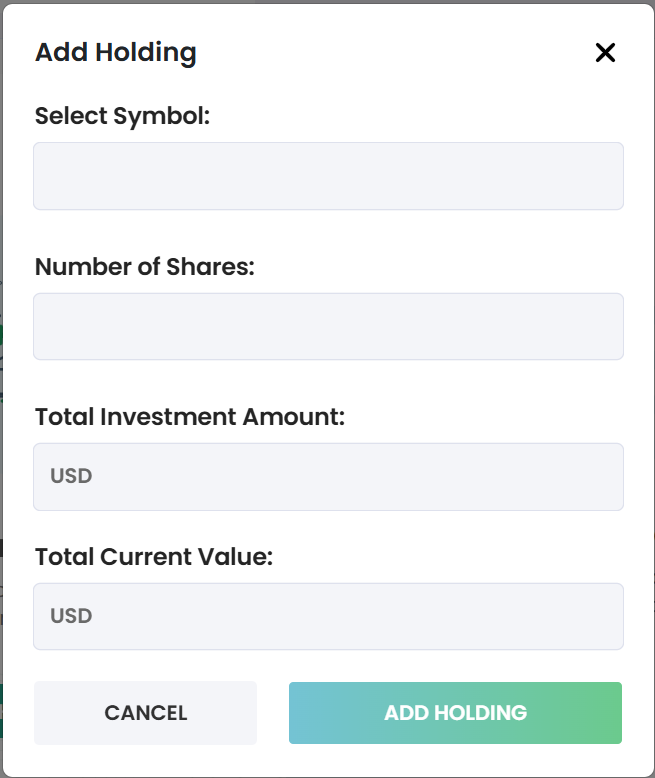
Stock Symbol (e.g., AAPL for Apple)
Number of Shares you hold
Total Investment Amount
The Total Current Value of the holding will be automatically fetched by the system.
Click Save to add the holding.
Note: You can only add one holding at a time.
Step 4: Add Transaction Details
For each holding, click “Add” under the Transactions section on the right-hand side.
Fill in the following details:
Transaction Type: Buy or Sell
Transaction Date
Number of Shares Bought/Sold
The Order Value will be automatically calculated after a short delay based on the transaction date and number of shares.
Click Save to add the transaction.
Step 5: Complete Your Portfolio
Continue adding all your holdings and their respective transactions.
Once all holdings and transactions are added, click “Done, View Portfolio” at the top-right corner of the page.
Step 6: Analyze Your Portfolio
After completing these steps, you’ll be able to:
Check the Shariah compliance status of your portfolio.
View the purification amount (if applicable).
With the Manual Portfolio Adder, you can easily manage your portfolio and analyze its compliance status, even without linking to a broker.
Was this helpful?
Still need help? Ask the team