How to use Musaffa’s Halal Stock Screener in the app
Last updated Over 1 year ago
For Muslim investors, finding halal stocks can be challenging, especially when you want to make sure every investment aligns with your values. That’s where Musaffa’s Halal Stock Screener comes in.
Our screener helps you search, filter, and analyze Shariah-compliant stocks with ease. Whether you're new to investing or an experienced trader, this step-by-step guide will help you make the most of the tool.
Step 1: Open the Halal Stock Screener
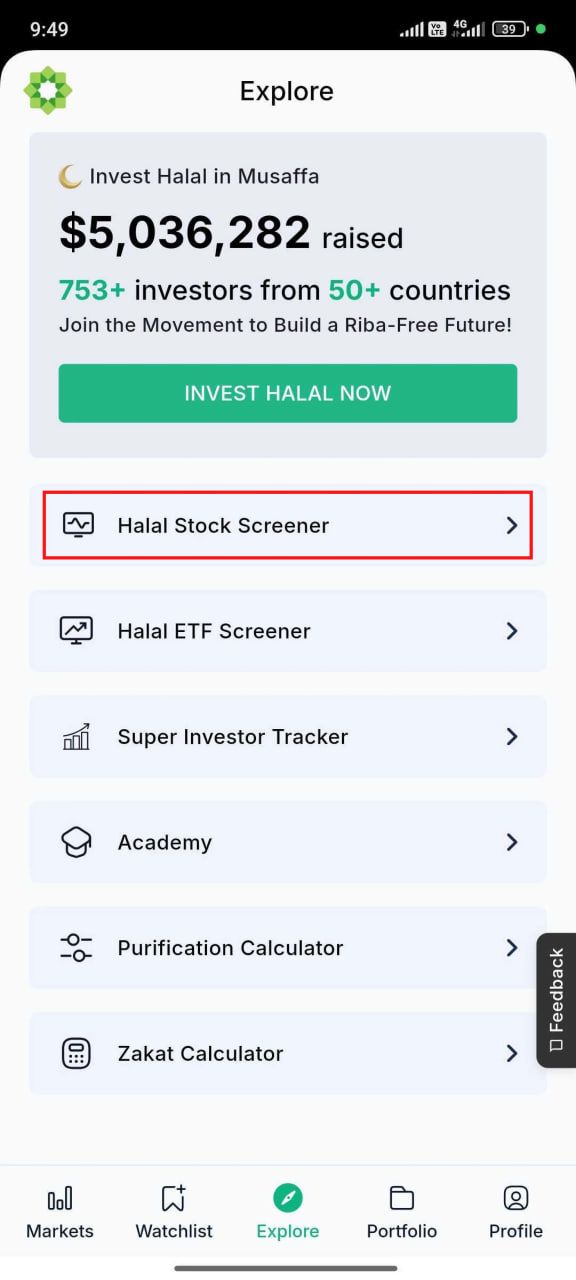
To access the screener:
Open the Musaffa app.
Go to the Explore page.
Tap on “Halal Stock Screener”.
You’ll be directed to a page where you can either search for a stock directly or use filters to explore new opportunities.
Step 2: Search for a specific stock
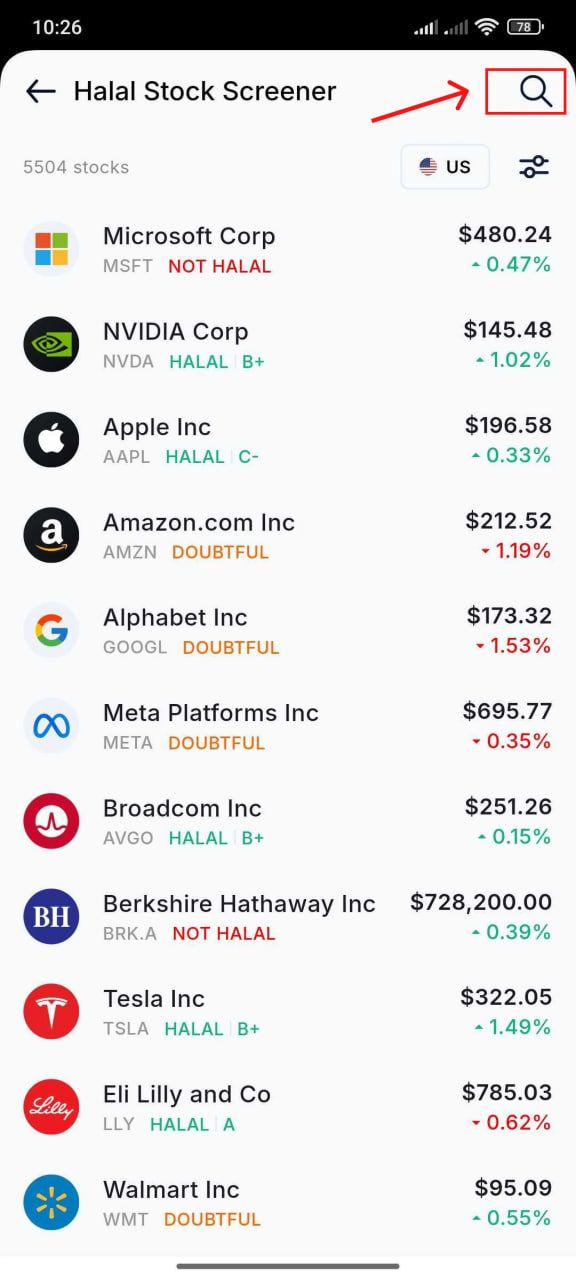
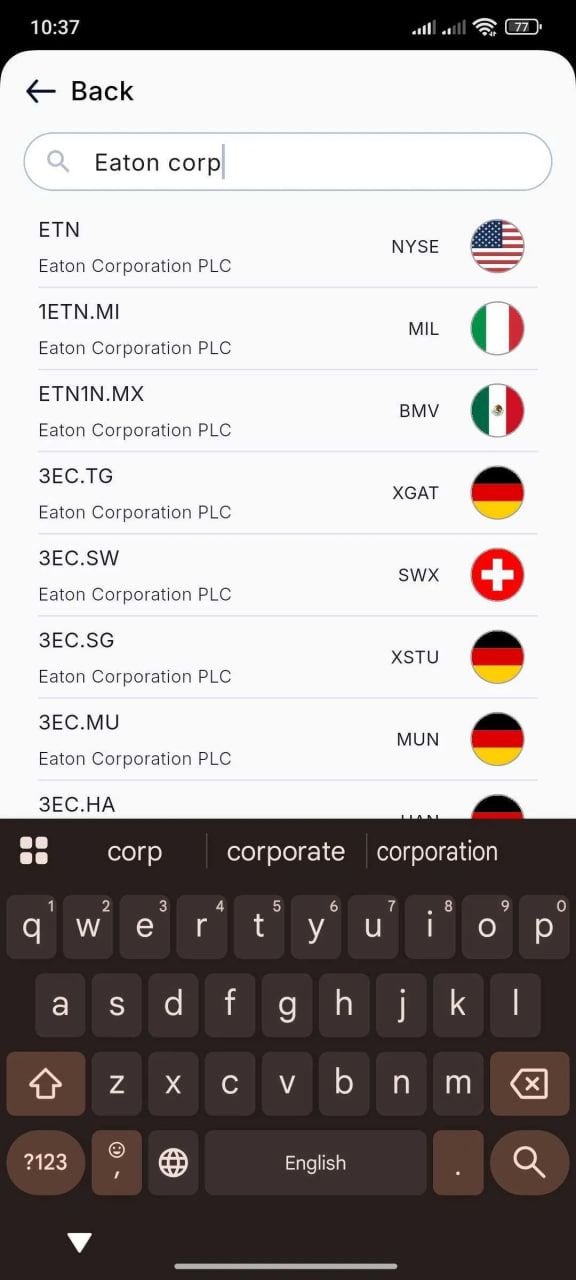
Already have a stock in mind? Use the search bar at the top:
Type the company name or ticker symbol.
Tap the stock to view its full details and compliance report.
Step 3: Use filters to discover halal stocks
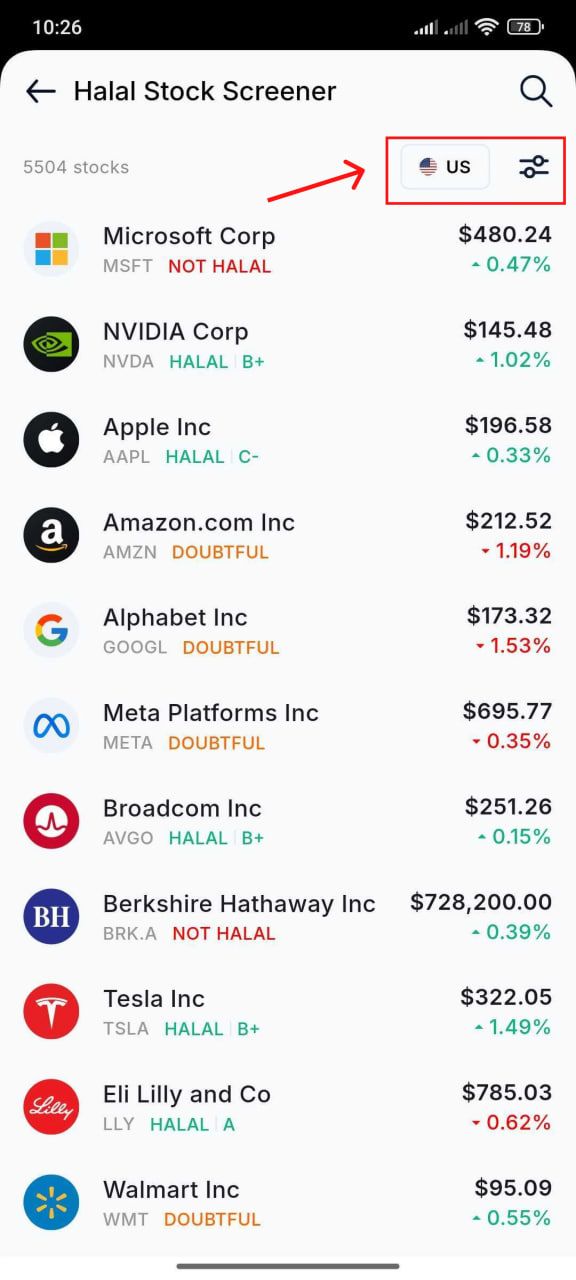
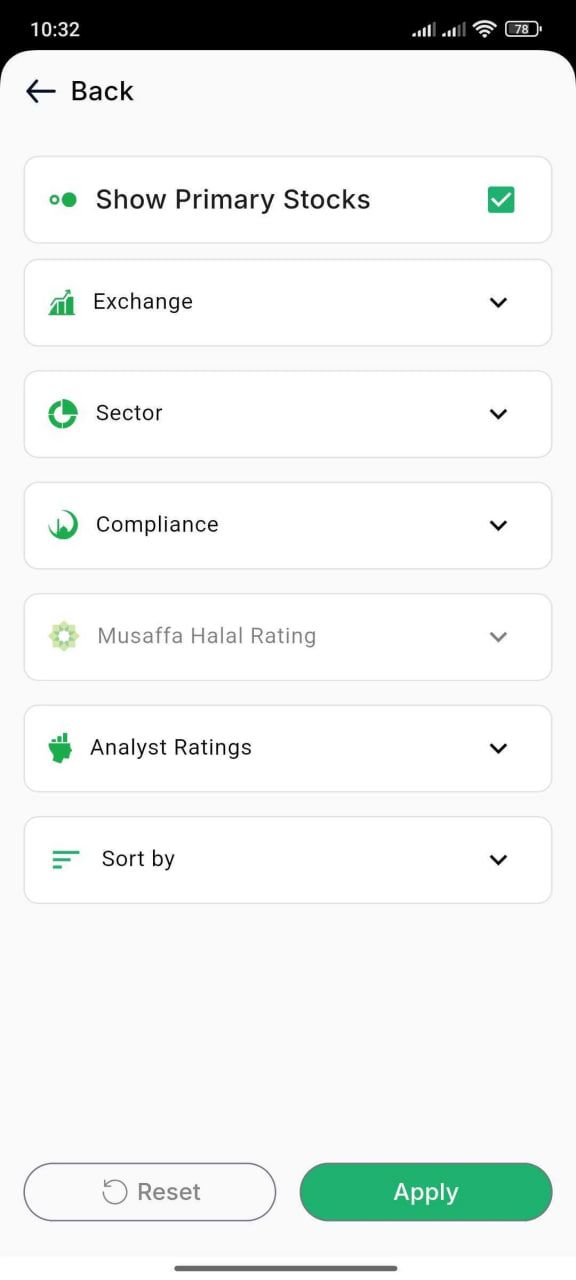
If you're exploring or researching potential investments, tap the “Filters” option. You can apply the following filters:
Country – Select from available markets (e.g., U.S., India, Saudi Arabia).
Sector – Filter by industry (e.g., healthcare, energy, technology).
Compliance – Filter by the compliance status of the stocks (compliant, non-compliant, or doubtful).
Musaffa Halal Rating – Filter stocks by their halal ratings given by Musaffa (e.g., A+, A, B, etc.).
Analyst Ratings – Explore stocks based on analyst outlook (e.g., Buy, Hold, Sell).
These filters help narrow down stocks that meet both your investment and religious preferences.
Step 4: Explore stock details
Once you tap on a stock, you’ll see several useful tabs offering in-depth information:
Overview tab
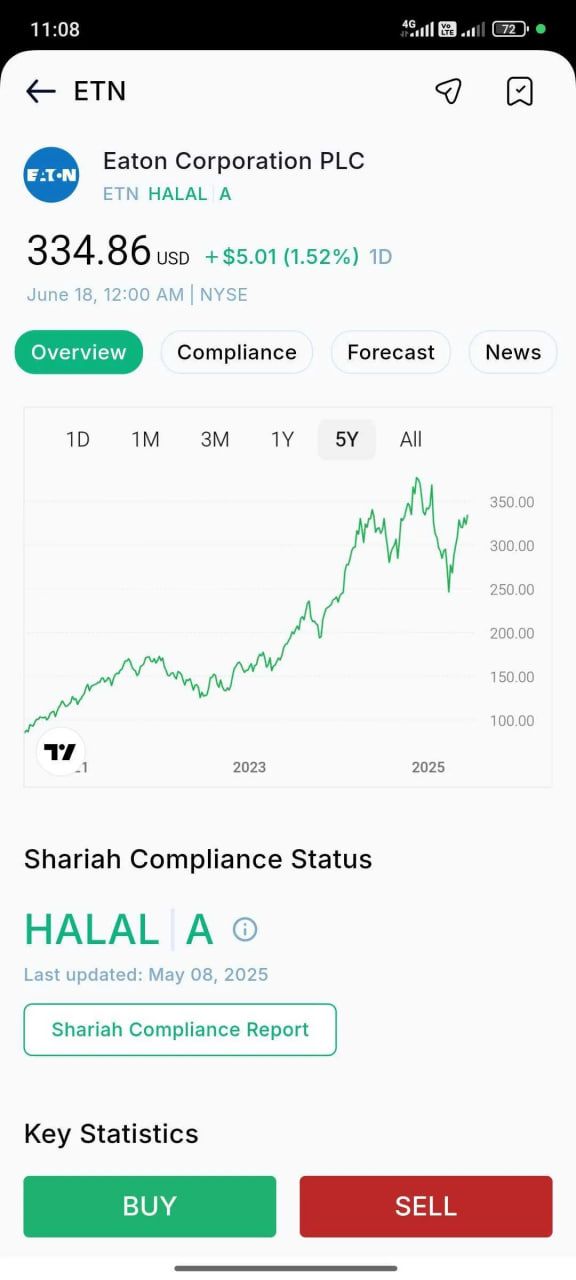
Displays the historical stock price chart for performance tracking.
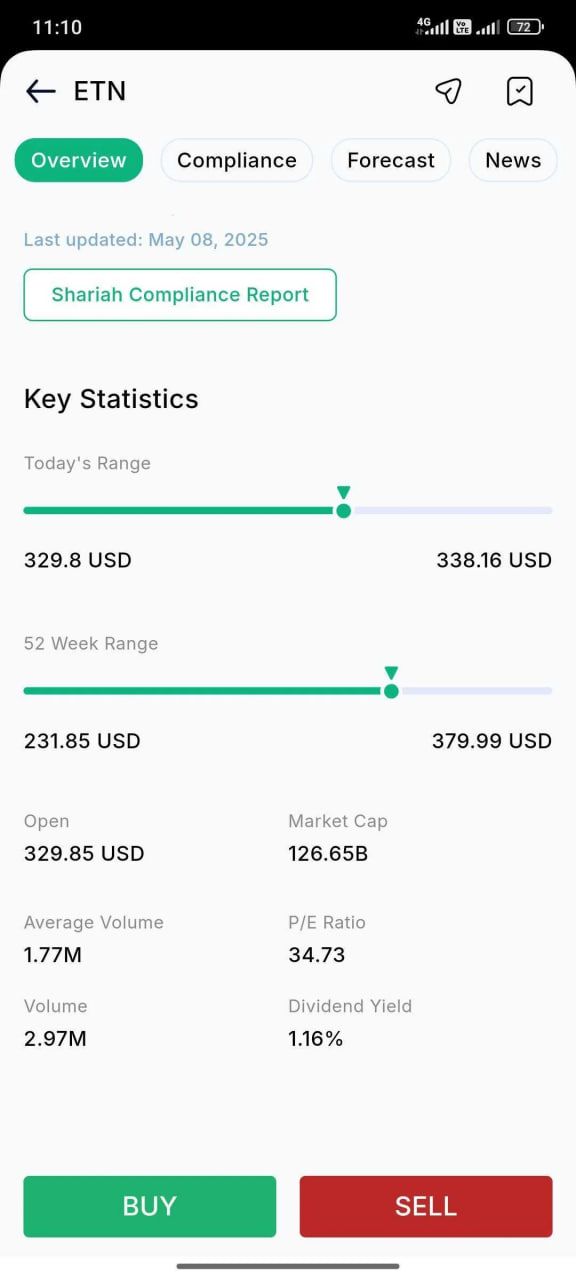
Shows key financial metrics such as market cap, P/E ratio, 52-week high/low, etc.
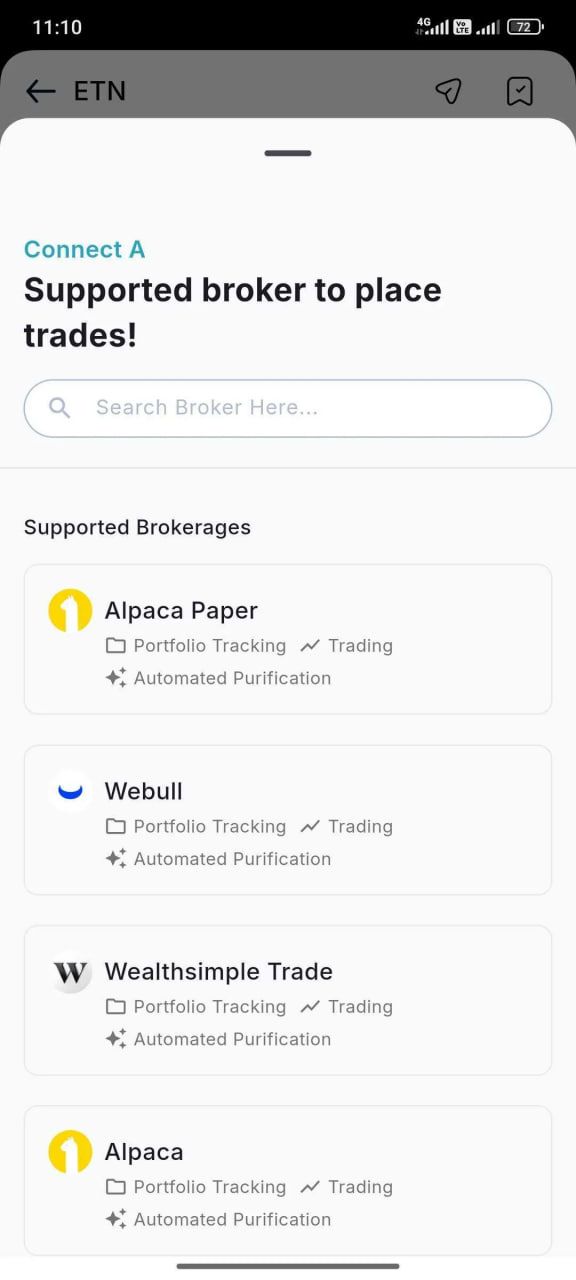
Buy and Sell buttons — If you want to trade the stock directly, simply connect your brokerage account to Musaffa. Once linked, you can buy or sell the stock right from the app, making investing faster and easier.
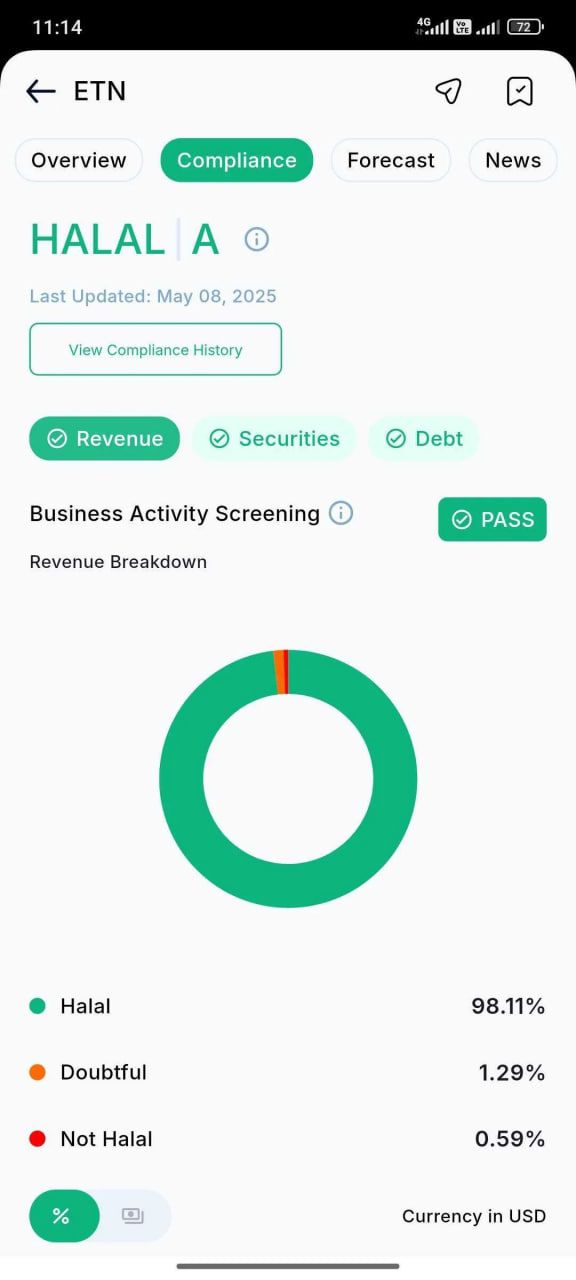
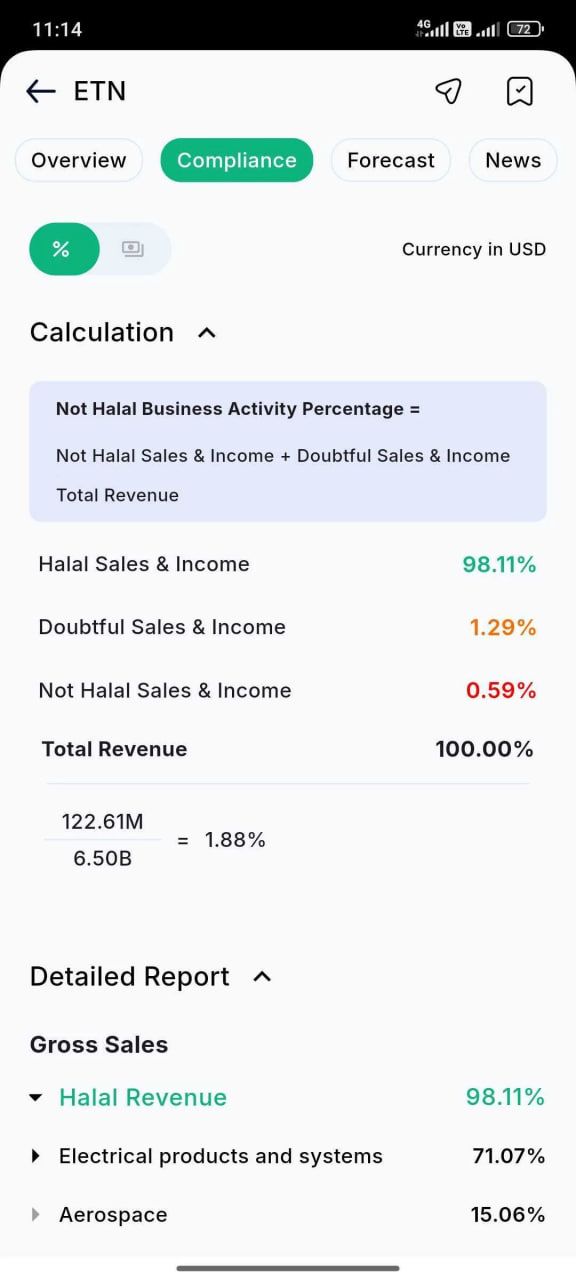
Compliance tab
Provides a detailed breakdown of the company’s Shariah screening.
This tab helps users clearly understand why a stock has been marked as compliant, doubtful, or non-compliant.
Forecast tab
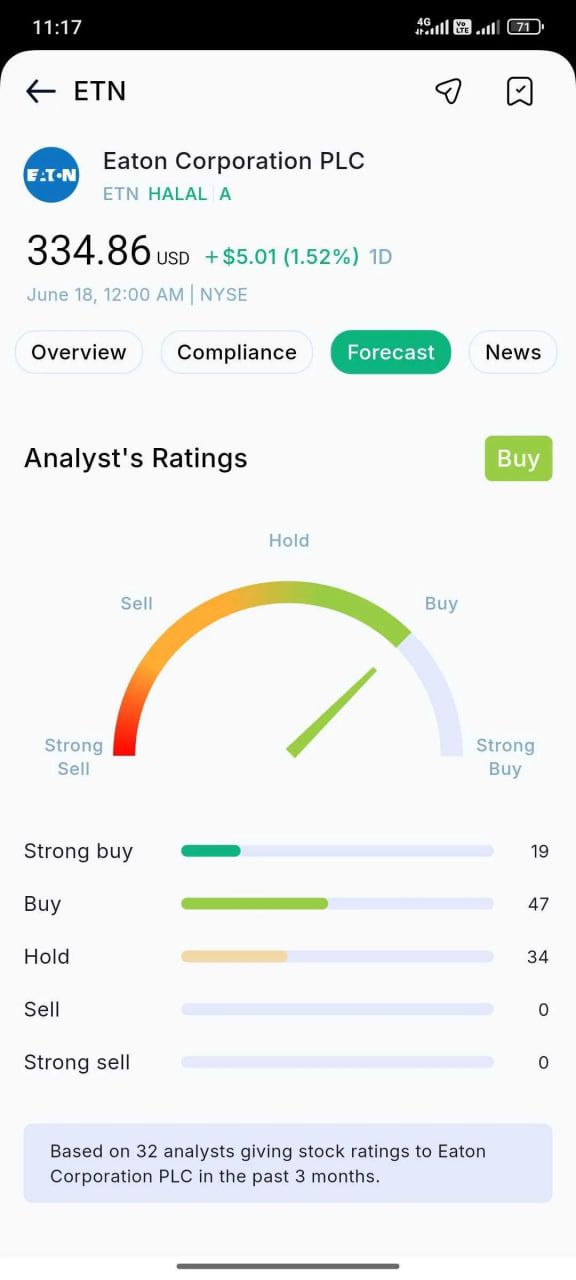
Presents analyst ratings (Buy, Hold, Sell) to guide investment decisions.
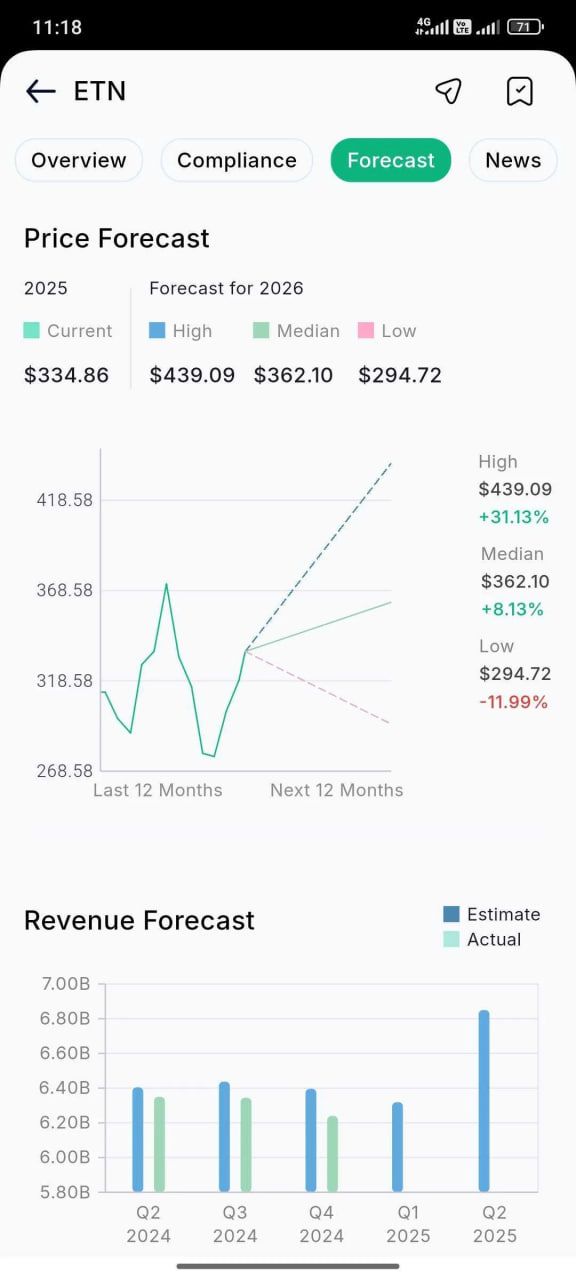
Includes price forecasts, revenue forecasts, and Earnings Per Share (EPS) forecasts.
This section is great for understanding the company’s growth potential from a professional market perspective.
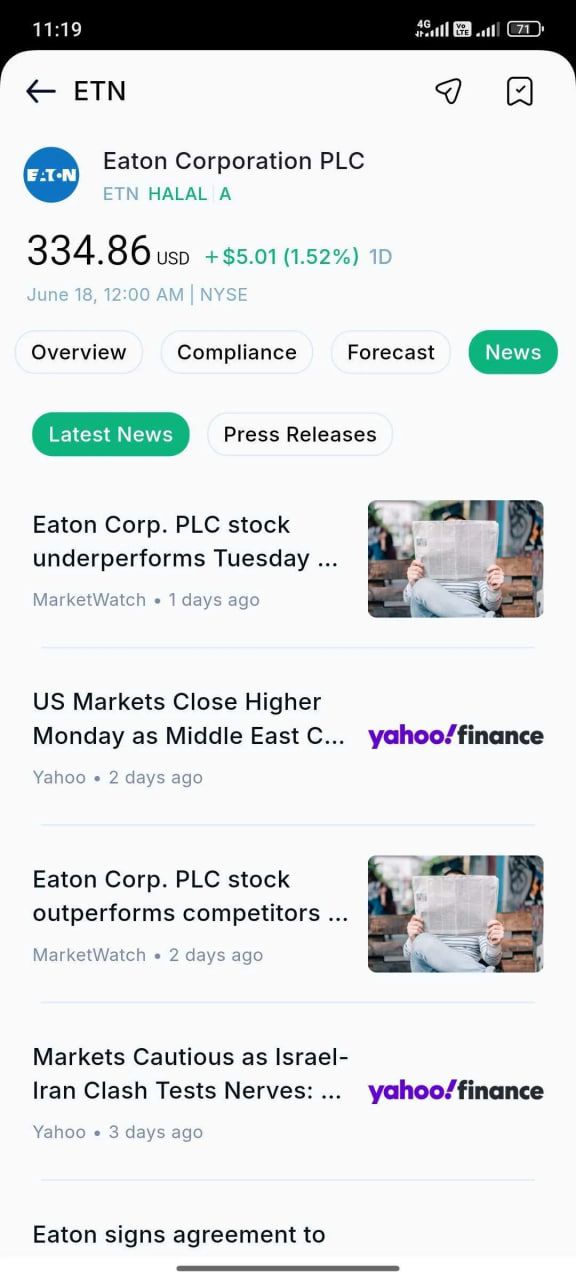
News tab
Curates the latest news, press releases, and important updates related to the company.
It helps users stay informed about events that may impact stock performance.
Profile tab
Provides general information about a company.
Includes details about the company’s core business activities, operations, the industry it operates in, etc.

Step 5: Save or share stocks
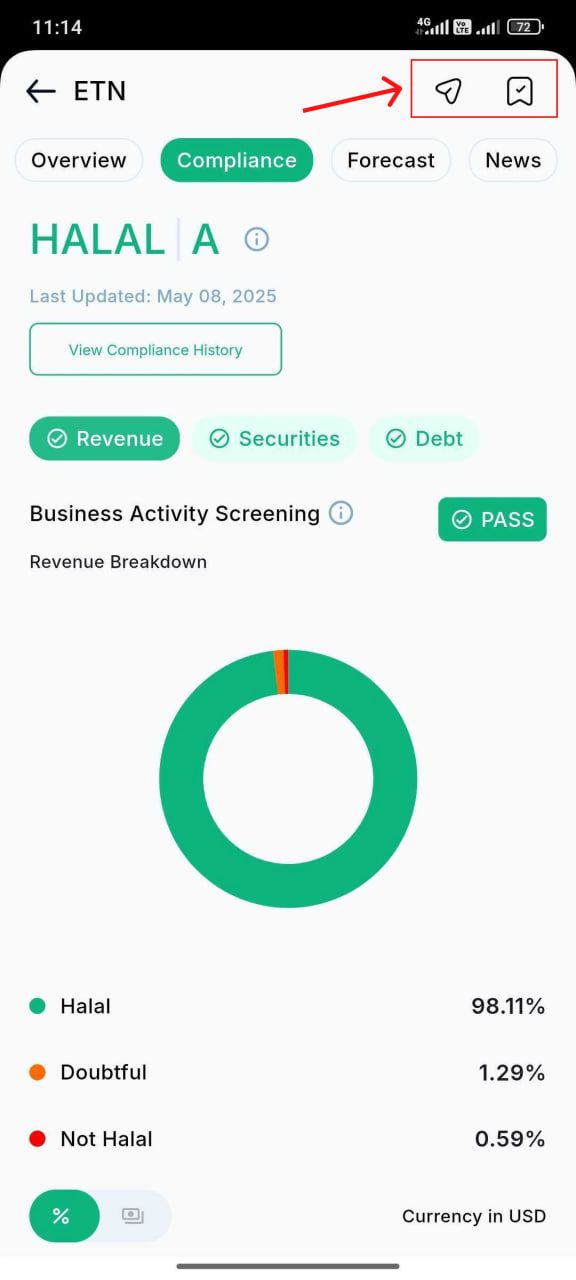
Found a stock you like? You can either save it or share it with others.
Tap the watchlist icon (top right corner) to add it to your custom watchlist collections
Tap the send/share icon (located just before the watchlist icon) to share the stock link with friends or family directly through messaging or social apps
This makes it easier to keep track of your favorite stocks or help others invest ethically too.
Final thoughts
Musaffa’s Halal Stock Screener is your go-to tool for building a Shariah-compliant investment portfolio. With powerful filters, detailed compliance breakdowns, expert forecasts, and easy sharing features, you can research with confidence and invest in line with your faith.
Ready to find halal investment opportunities?
Open the Musaffa app and start screening with purpose today!
Was this helpful?
Still need help? Ask the team