How to Check the Shariah Compliance Report of a Stock on Musaffa
Last updated Over 1 year ago
Step 1: Direct Access:
Use the direct link to check the shariah compliance report of a stock on Musaffa.
Step 2: Access the Shariah Compliance Report
Option 1: Search for the stock by navigating to the stock search Tab located at the top left corner.
Once on the stock’s page, locate the Shariah Compliance tab on the left side of the screen.
Click “View Detailed Report” to access a full analysis of the stock's compliance.
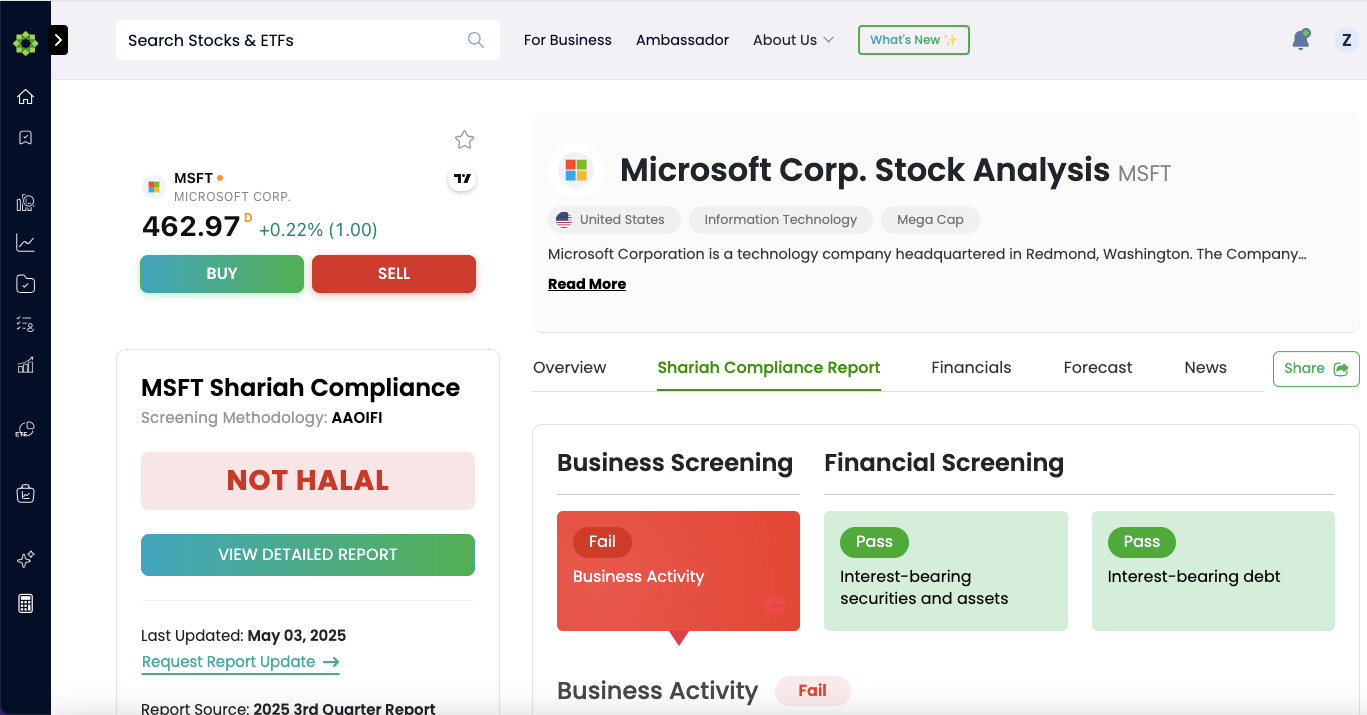
What You’ll See
The report provides detailed insights into the stock’s compliance with Shariah principles, including:
Financial ratios.
Forecast by third party analysts.
News related to the stock.
Was this helpful?
Still need help? Ask the team