How to use Musaffa’s Zakat Calculator in the app
Last updated Over 1 year ago
Zakat is a core pillar of Islamic finance — an annual obligation to purify your wealth by giving a portion (usually 2.5%) to those in need. But calculating Zakat can be tricky, especially when you have a mix of assets like cash, gold, stocks, property, and business items.
Musaffa’s Zakat Calculator makes this process clear, easy, and accessible — all from your phone.
Here’s a simple step-by-step guide to help you calculate your Zakat using the Musaffa app:
Step 1: Access the Zakat Calculator
To get started:
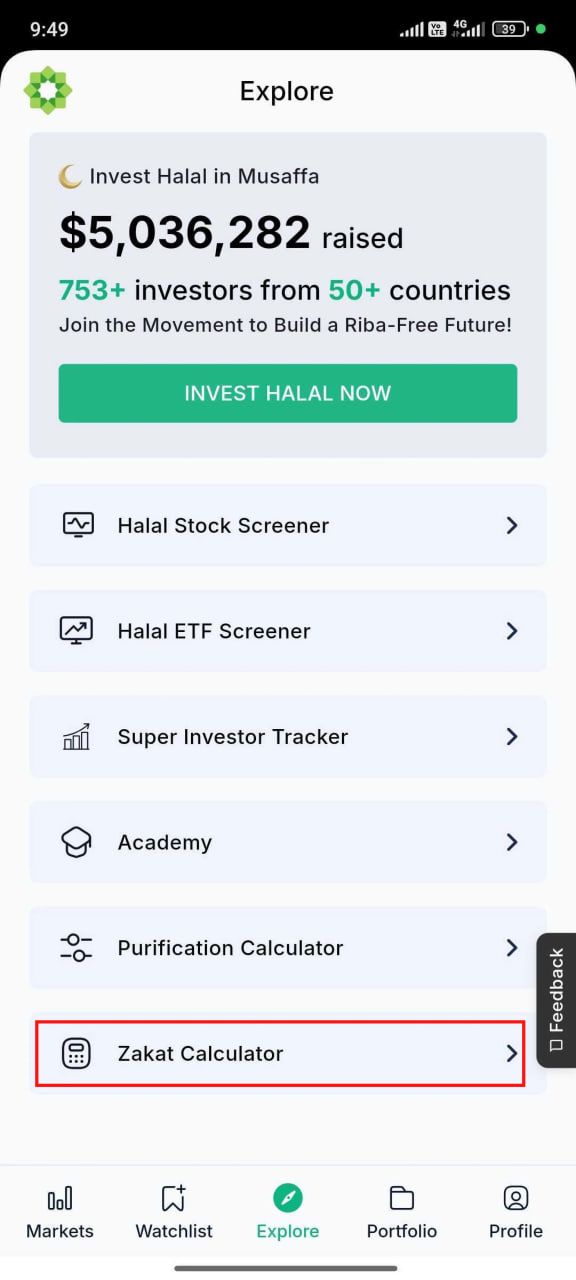
Open the Musaffa app
Go to the Explore page
Tap on “Zakat Calculator”
This will take you to our dedicated Zakat tool, where you can manage all types of zakatable assets in one place.
Step 2: Choose your currency
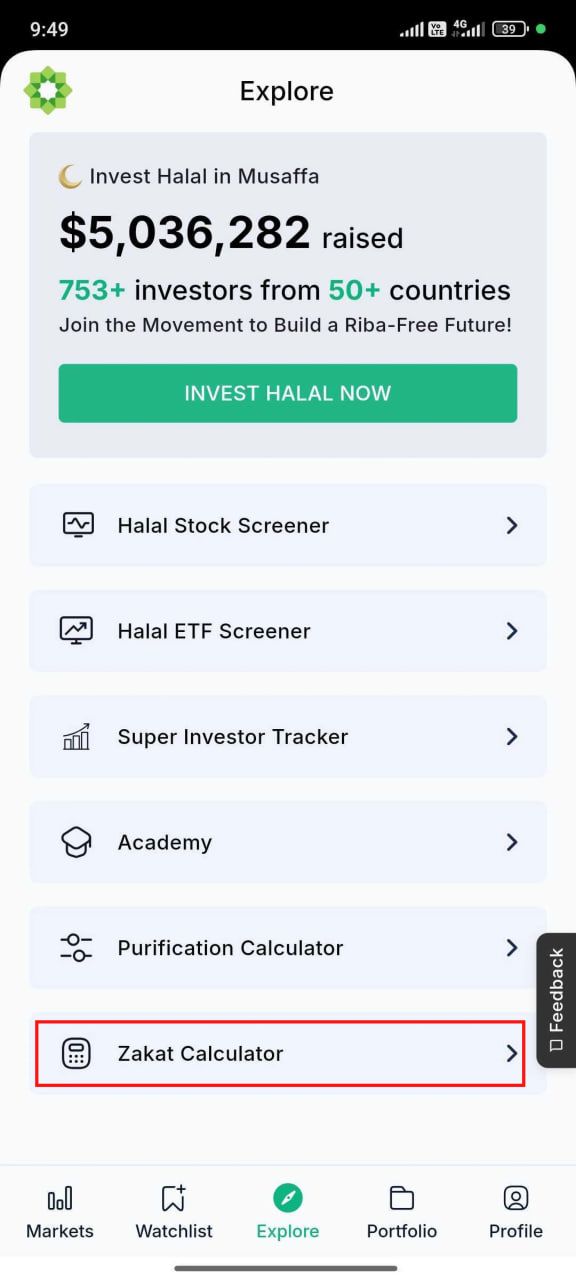
Before entering any numbers, you’ll be asked to select your preferred currency (e.g., USD, SAR, AED, etc.).
All your asset and liability values will be calculated in this currency.
Step 3: Select your assets and liabilities
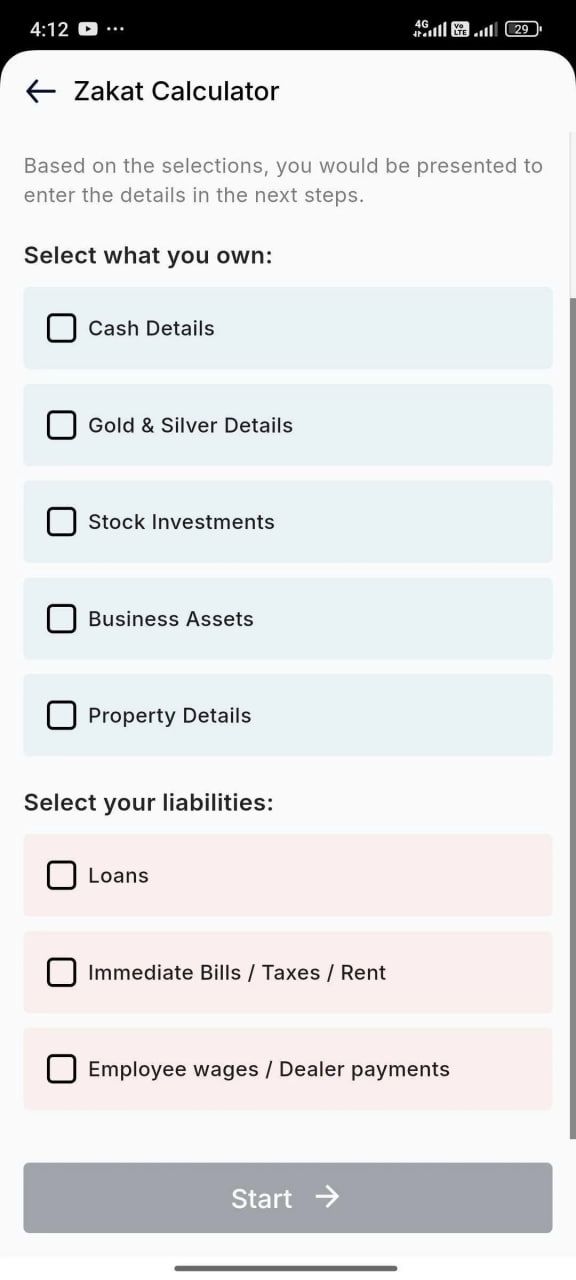
You’ll now be shown a list of asset and liability categories. Choose all that apply to your current financial situation.
Asset options include:
Cash Details – cash at home, in bank accounts, or digital wallets
Gold & Silver Details – physical or stored precious metals
Stock Investments – halal stocks and ETFs
Business Assets – goods in stock, receivables, etc.
Property Details – real estate held for trading or resale
Liability options include:
Loans – short-term or long-term debts
Immediate Bills/Taxes/Rent – dues payable within the zakat year
Employee Wages/Dealer Payments – unpaid salaries or trade payables
Once you’ve selected the relevant categories, click “Start” to begin the calculation process.
Step 4: Enter your financial details
Now, you’ll enter the current market value of each asset and the amount owed for each liability.
Tip: Be honest and accurate — Zakat is calculated on the net zakatable wealth (total assets minus liabilities).
As you fill out each field, the calculator will keep track and show a running total.
Step 5: View your zakat amount
After completing your entries, the calculator will show:
Your total zakatable amount
The Zakat due (2.5%)
A clear breakdown of all the values you entered
You’ll know exactly how much to pay — no confusion or complicated math.
Step 6: Make your Zakat payment
Once you know your Zakat amount:
Choose a trusted and eligible charity or cause.
Donate the full amount in your selected currency.
This fulfills your Zakat obligation in line with Islamic guidelines.
Final thoughts
Whether you have cash, gold, business assets, or investments, Musaffa’s Zakat Calculator makes it easy to:
Organize your wealth
Calculate your obligation accurately
Fulfill your religious duties with confidence
Use the Zakat Calculator in the Musaffa app today — and purify your wealth the right way.
Was this helpful?
Still need help? Ask the team