How to Request Stock Coverage on Musaffa
Last updated Over 1 year ago
Musaffa offers premium users the ability to request coverage for up to 10 stocks per day based on your subscription plan. Here’s how to request stock coverage if it is not covered on the Musaffa platform:
Step 1: Search for the Stock
First, you need to check if the stock is already covered.
Use the Search Bar: Go to the Musaffa platform. Locate the main search bar, which is at the top left corner of your dashboard.
Enter the Stock's Name or Ticker: Type in the company name which you are looking for (e.g., "Apple") or its stock market ticker (e.g., "AAPL").
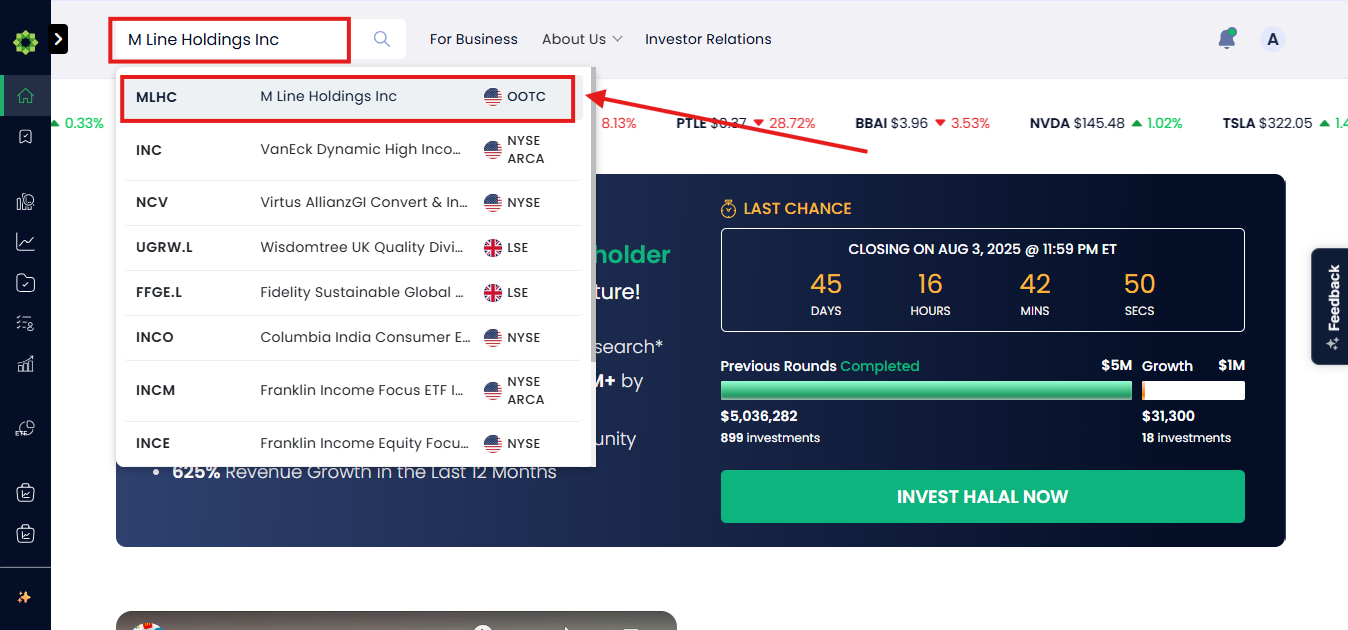
Navigate to the Stock's Page: Review the search results and click on the relevant stock to open its dedicated page.
Step 2: Place the Coverage Request
Once you are on the page of a stock, and it is not covered for Shariah compliance yet. You will see a prompt to ask for request coverage from an analysis on Musaffa.
Find the "Request Coverage" Button: Look for a clearly marked button on the page. It will say "Request Coverage". This button is visible only for stocks that have not yet been evaluated.
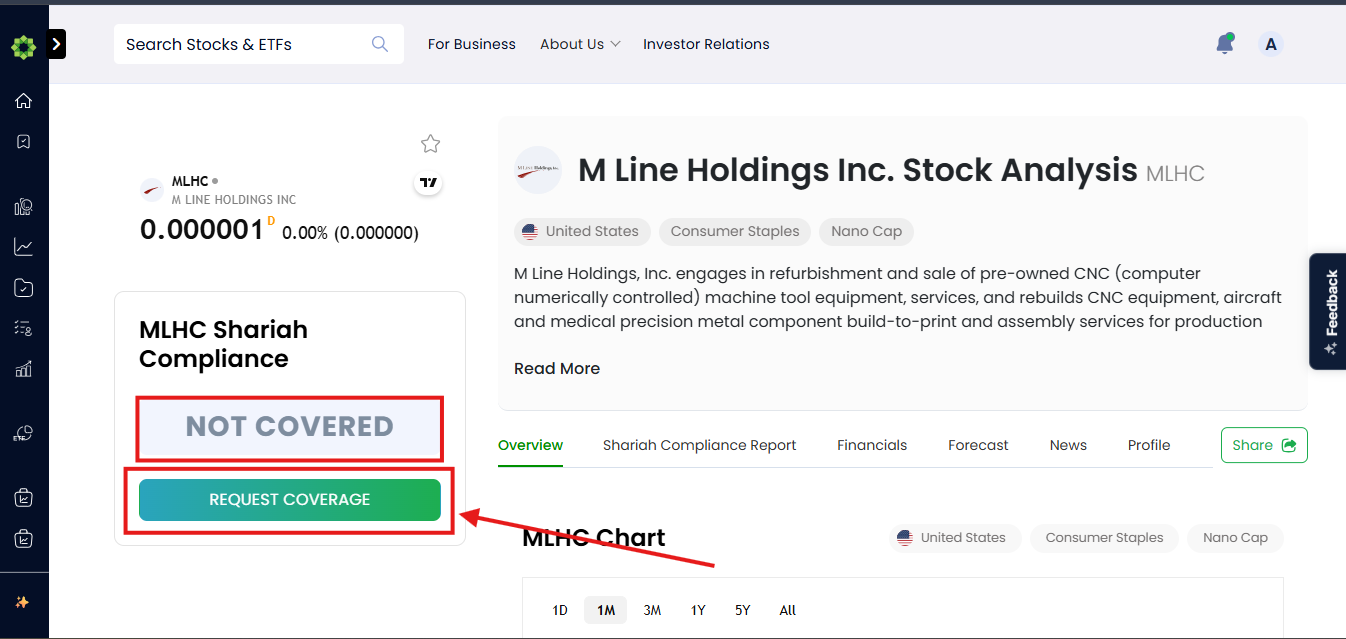
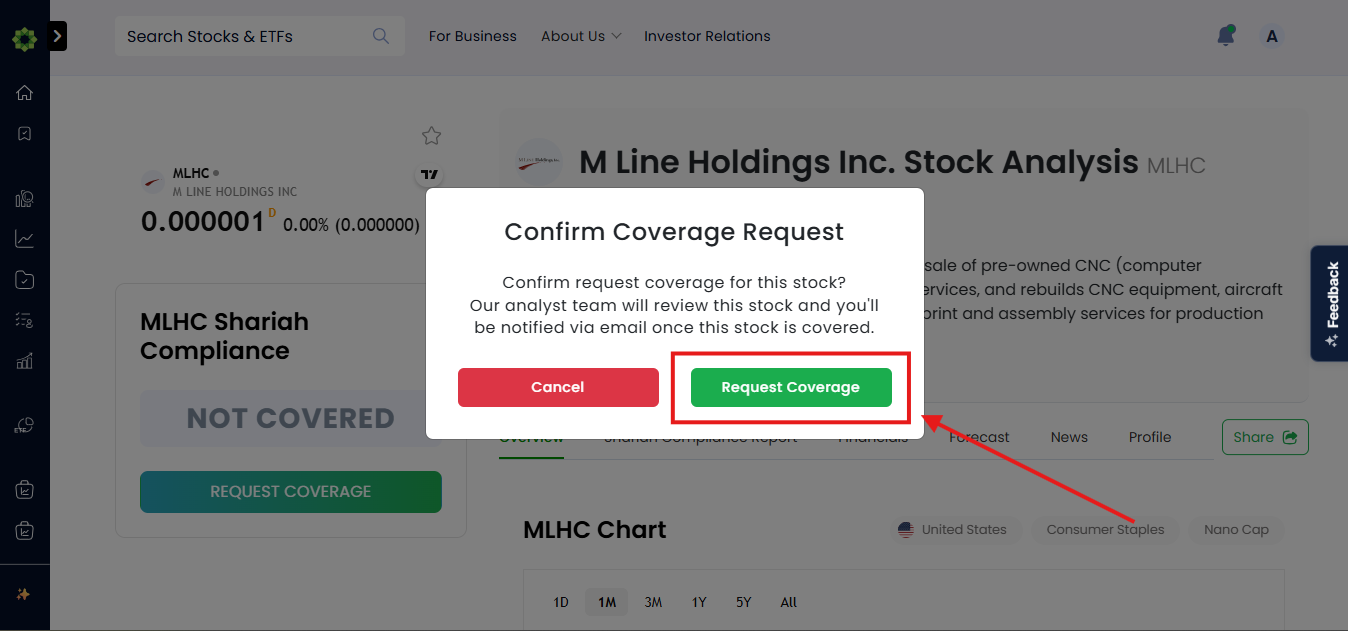
Click to Request Coverage: Simply click the Request Coverage button and confirm it one final time. This action uses one of your 1 to 10 daily request slots and formally submits your request to the Musaffa team.
Step 3: Await the Analysis
After you've submitted your request, Musaffa's expert team gets to work.
Analysis in Progress: Your request triggers a thorough Shariah screening process. The team will examine the company's financial records and business activities to determine its compliance status.
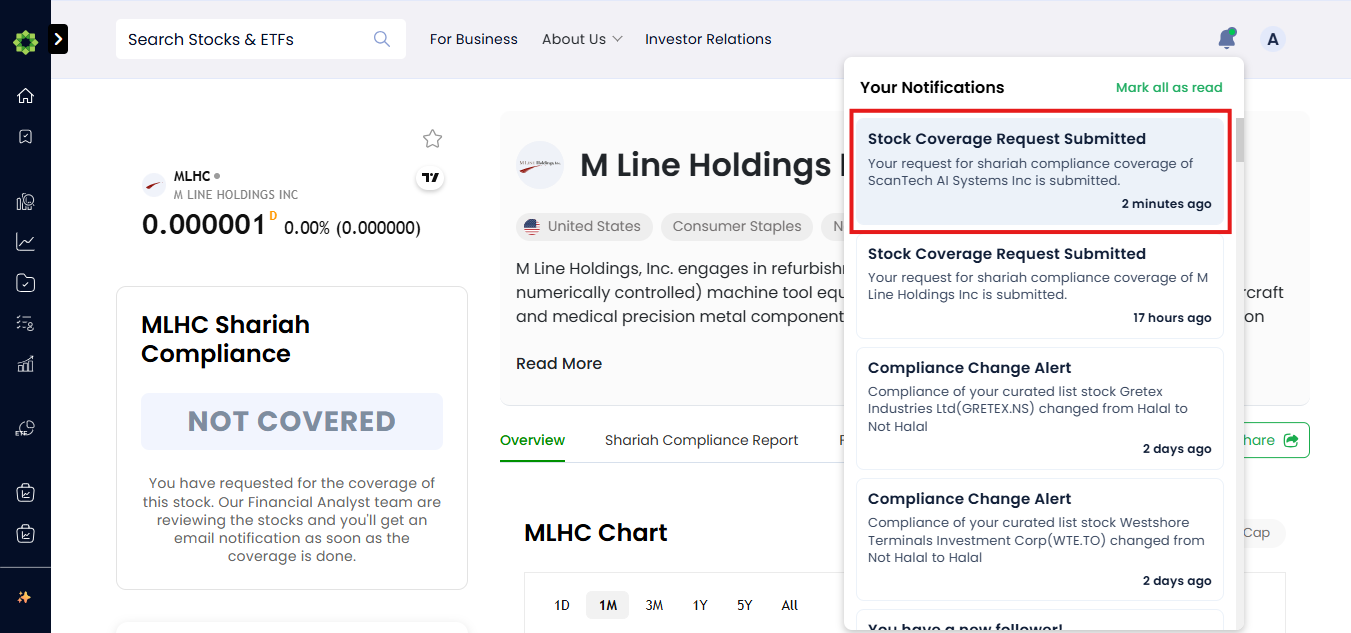
Notification: You don't need to keep checking back manually. Musaffa will notify you directly via email or a notification on the platform as soon as the detailed stock analysis is complete and available for you to view.
Note: If no results appear for your search, it may mean the stock is from a market that Musaffa does not yet cover. In this specific situation, please email the Musaffa support team directly at support@musaffa.com.
Was this helpful?
Still need help? Ask the team