How to Check the Shariah Compliance Report of a Stock on Musaffa
Last updated Over 1 year ago
Musaffa allows you to easily check whether a stock is Shariah-compliant and understand the reasoning behind its status. With just a few clicks, you can access a detailed breakdown of the stock’s business activities and financial health from a Shariah perspective.
Here’s how to do it:
Step 1: Go to the Musaffa website
Visit musaffa.com
Log in to your account if you haven't already
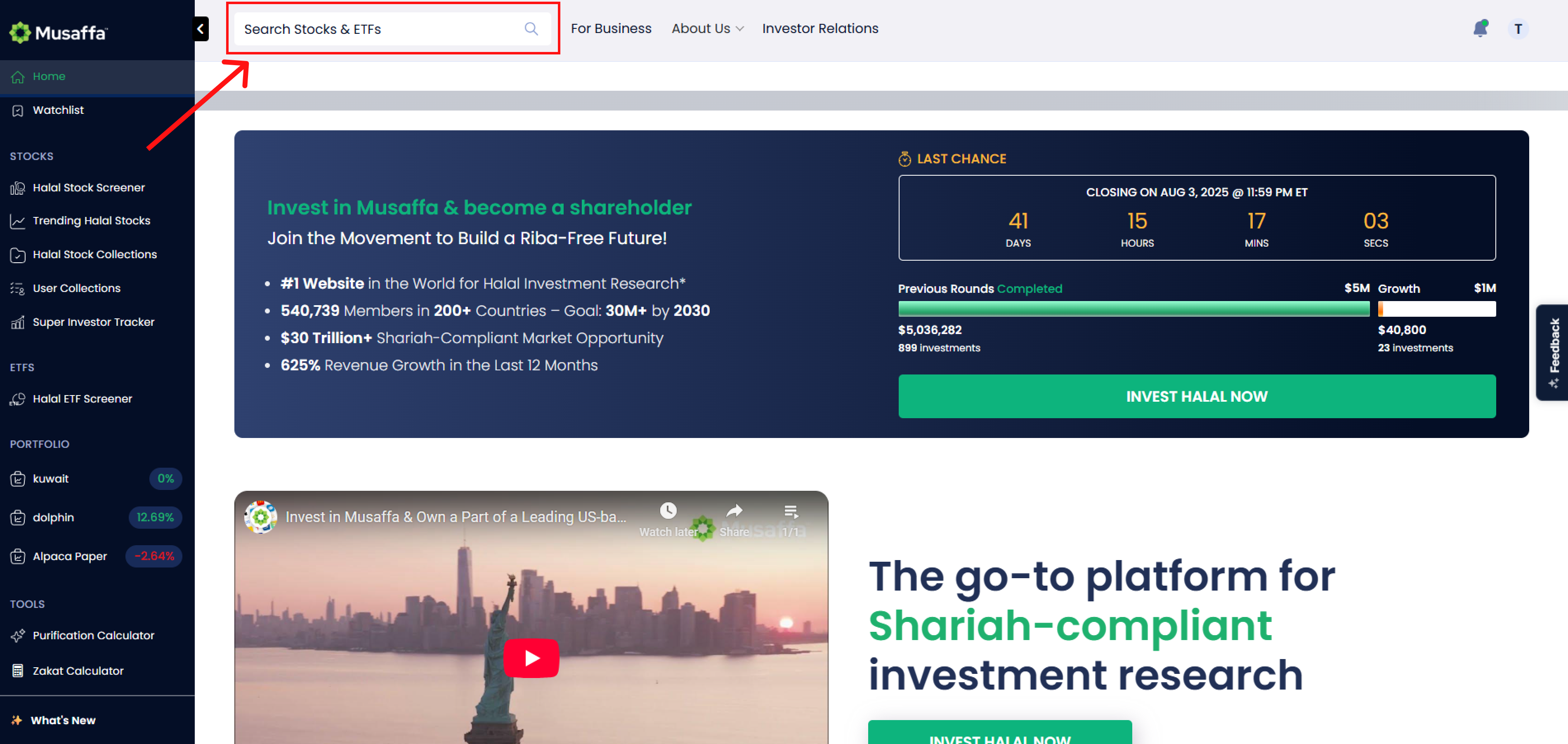
On the top left corner of the homepage, you’ll see a search bar.
Step 2: Search for a stock
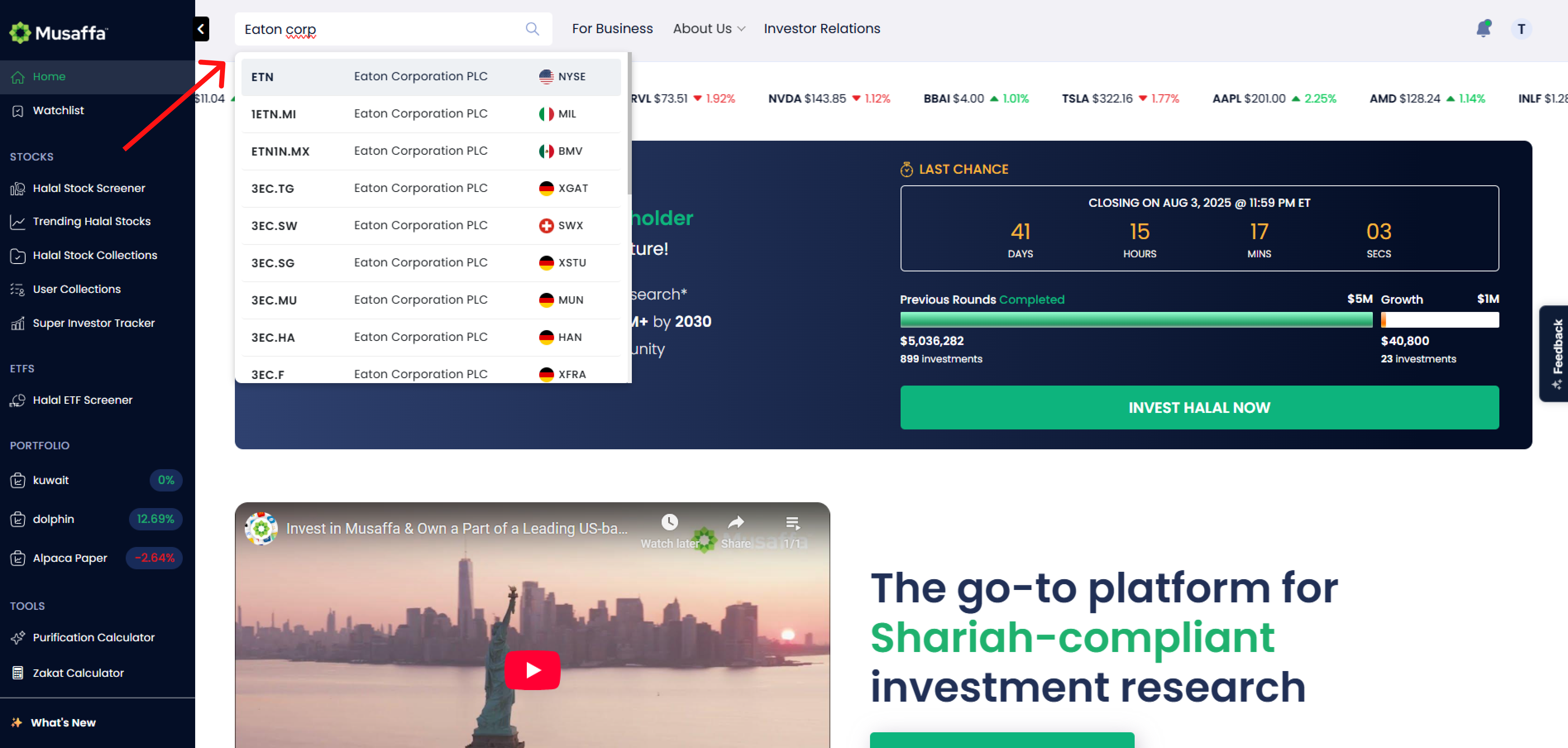
Type in the company name or ticker symbol.
Click on the stock from the dropdown list to open its stock page.
Step 3: Access the Shariah compliance report
Once you're on the stock page:
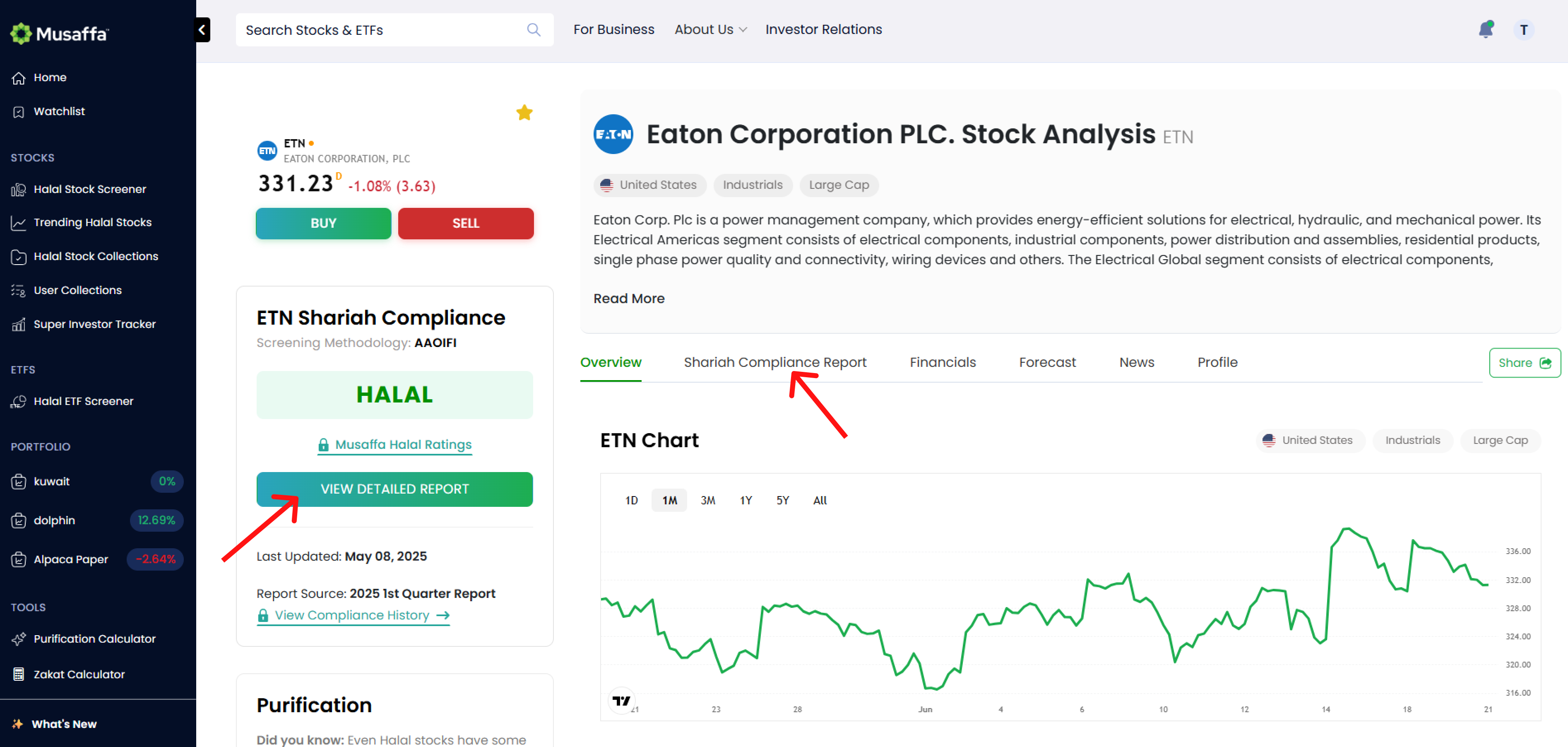
Look for the “Shariah Compliance Report” section.
Or click the “View Detailed Report” button.
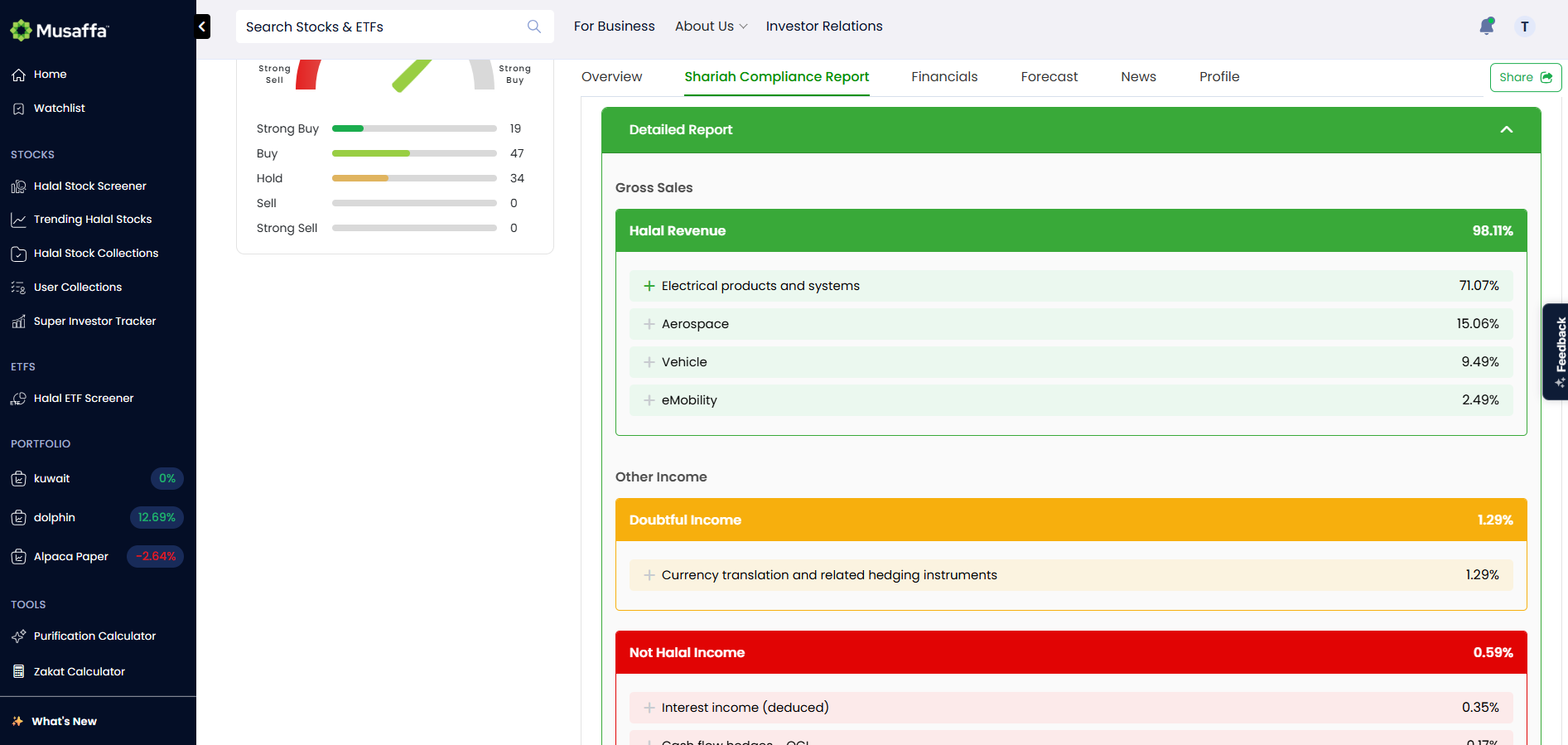
Clicking either of them will take you to the full compliance report, where you’ll find:
Compliance Status
Shows whether the stock is Compliant, Doubtful, or Non-Compliant.
Compliance Breakdown
Business Screening: Reviews the company’s core operations and non-permissible income share.
Financial Screening: Evaluates interest-bearing debt and asset ratios against the Shariah thresholds.
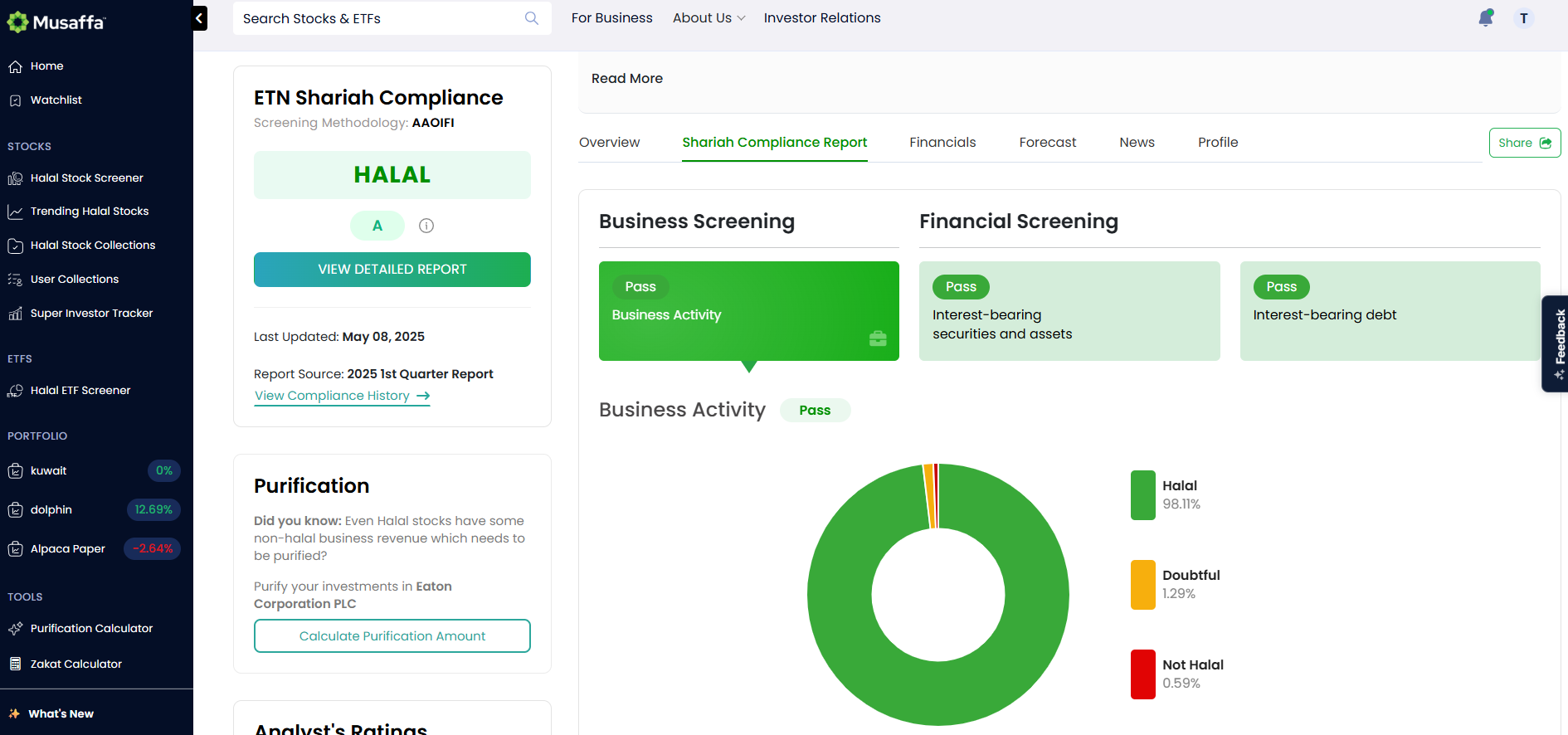
Revenue Source Breakdown
Clearly displays where the company’s income comes from.
Helps you understand the reasoning behind the compliance status.
Final thoughts
Musaffa makes Shariah screening clear, accessible, and transparent. Whether you’re researching a new company or double-checking your portfolio, you can trust that the compliance report gives you the insight you need for halal investing.
Search, screen, and invest — all with confidence and clarity.
Was this helpful?
Still need help? Ask the team